Portrait Mode vs. Flyaways: Eight Phones, One Harsh Window, and the Truth About Fake Depth
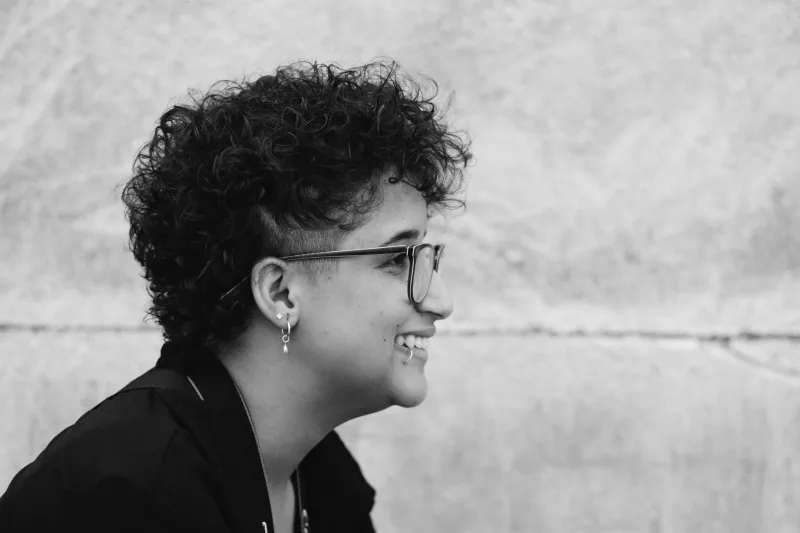
Portrait mode is a small miracle with a short temper. It can make a phone look like it rented an 85mm f/1.4 lens for the afternoon, right up until a stray bit of hair, a pair of glasses, or a bright window turns the background into a melted painting. For this audit, I spent a week shooting the same three faces — one with fine curly hair, one with wire-rim glasses, one with a close-cropped fade — in the same nasty apartment light. Then I opened the files at 100 percent and looked at the edges. No studio. No retouching. Just phones, people, and a window that refused to cooperate.
How we tested (and why hair is the hardest thing)
The test was deliberately boring. Same subjects, same window, same time of day, same crop. I shot each phone at its default portrait setting, then again with the fake aperture pulled back to a less dramatic depth effect. I looked for four tells: flyaways that vanished into the background, glasses rims that got chewed up, ears that turned into crescent moons, and window light that produced a glowing halo around a shoulder. I also checked how each mode handled a subject standing two feet in front of a textured wall — the kind of background that makes computational depth maps panic.
This is not a megapixel contest. It is an honesty contest. A good portrait mode should admit that hair exists, that glasses have temples, and that a window is not a light saber.
The ranking: eight portrait modes, from most honest to most hallucinated
1. Google Pixel 10 Pro
The Pixel 10 Pro was the most consistent across all three faces. Curly hair kept most of its edge detail, and the glasses test only broke down when the frame caught a bright reflection across the lens. The background blur looked natural rather than painted on, and the window-light halo was mild. It is not perfect — a few flyaways on the left side got softened into pulp — but it fails gracefully. If you want the safest default, start here.
2. iPhone 17 Pro
Apple's portrait mode handled the wire glasses better than any other phone in the test. The rims stayed crisp, and the temples did not dissolve into the cheek. Hair was a close second, though fine curls against a busy background got a little smeary at the crop. The bigger issue was the window: a bright sill behind the subject produced a thin glowing outline around one shoulder. Pull the fake aperture back to f/8 or f/11 and that outline mostly disappears.
3. Samsung Galaxy S26 Ultra
The Galaxy S26 Ultra produces the most dramatic blur of the group, which is great for thumbnails and terrible for honesty. Hair edges were bold but occasionally clipped, and the phone had a habit of carving around ears like it was cutting out a sticker. Glasses were fine in soft light, less fine when a window reflected in the lens. Samsung's portrait mode is the one most likely to make a casual viewer say 'nice photo' and a photographer say 'what happened to that ear?'
4. OnePlus 14
OnePlus has quietly gotten good at this. The OnePlus 14 kept hair edges reasonably intact and did not over-brighten the face. The failure case was dark hair against a dark background, where the depth map lost confidence and blurred a chunk of shoulder along with the wall. Glasses were average. Window light was handled better than expected, with only a faint halo. It is not the flashiest portrait mode, but it is one of the more trustworthy mid-priced options.
5. Motorola Edge 2026
The Edge 2026 is a tale of two portraits. In even shade, it looked clean and natural. In front of a bright window, it started inventing depth where there was none, blurring the edge of a sleeve and leaving a bright rim around the subject's hair. Ears were mostly fine. Glasses were mostly fine. The problem was confidence: the phone blurred first and asked questions later.
6. Nothing Phone (3)
Nothing's portrait mode has a strong look — contrasty, punchy, a little dramatic — but the edge detection struggled with dark hair and low-contrast backgrounds. Flyaways disappeared into the blur, and one subject's ear got trimmed into a shape that did not match the other side. Glasses were acceptable. The window-light test produced a noticeable glow around the jawline. It is a fun mode for social posts, less fun for a headshot you actually need.
7. Asus Zenfone 12 Ultra
The Zenfone 12 Ultra was aggressive with blur and careless with hair. Fine curls turned into a soft helmet, and the glasses test showed a visible cut line along the temple. Ears survived, but the window-light shot had a halo that looked like a bad mask in an editing app. Pulling the aperture back helped, but the phone still wanted to blur more than the scene could support.
8. Samsung Galaxy A56
Midrange portrait modes are where the seams show, and the Galaxy A56 is the clearest example. Hair edges were the roughest of the group, glasses rims got soft, and the window-light shot produced a bright outline around the subject's shoulder that no amount of fake aperture adjustment could fully fix. It can still make a decent portrait in flat light, but it is the phone most likely to embarrass you in front of a bright window.
The fixes that actually clean up edges
First, stop shooting portrait mode into a bright window. Turn the subject so the window is at a 45-degree angle to their face. You get shape and shadow without asking the phone to solve a backlight puzzle. Second, tap to focus on the face, then lower the fake aperture. On most phones, a higher f-number means less blur and fewer edge mistakes. If the mode offers a depth slider, use it. Third, turn off any portrait lighting preset that adds a rim light or contour effect. Those presets are designed to look dramatic, not accurate.
For glasses, tilt the chin down slightly and check for reflections before you shoot. For curly hair, put a solid wall or a plain curtain behind the subject instead of a bookshelf. Busy backgrounds are where computational bokeh goes to lie. Clean your lens, too. A smudged lens makes every edge look softer, and you will blame the phone for your thumbprint.
What to do when the phone still lies
If the phone still chews up hair or glasses, switch out of portrait mode and shoot a normal photo. Then add blur in an editing app with a mask you control. It takes longer, but you get to decide where the depth ends. For creators who need reliable subject separation without a dedicated camera, that is often the smarter move. Portrait mode is a convenience, not a contract. The best fake aperture is the one you can undo.