Gravy, Glare, and 2700K: Six Phones vs. a Practice Thanksgiving Table
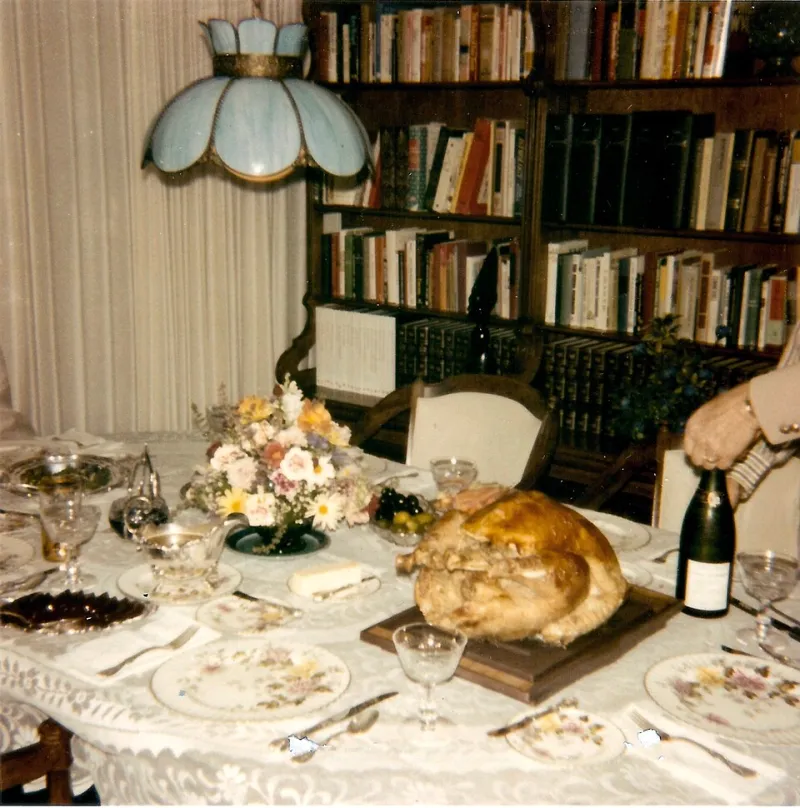
Photo: Per source. Please credit "Family photos of Infrogmation"., CC BY-SA 4.0, via Wikimedia Commons
Nobody's best photos happen at a well-lit studio table. They happen at 4:40 p.m. in a dining room with three mismatched bulbs, one blazing kitchen window, a bird that's still steaming, and eight people who would like to eat already.
So this year we didn't wait for the holiday to find out how phones handle it. We built a rehearsal table two weeks early: a roast chicken standing in for the turkey, real gravy in the good china boat, a buttered glass casserole dish, cranberry sauce with actual gloss, and a string of 2700K bulbs doing their warm, orange, deeply unhelpful thing. Then we shot it with six current phones and took notes like unpleasant people.
The goal wasn't a ranking. It was to figure out the small number of moves that keep a holiday meal from turning into an orange blur.
The setup: a dining room that fights back
The table sat under three bulbs at roughly 2700K, plus daylight spilling in from a west-facing kitchen window about twelve feet away. That mix is the whole problem in one sentence: your phone sees two light sources that disagree, and it has to pick a side.
We used a tripod for half the frames and handheld for the rest, because nobody's holding still while Uncle Rick reaches across for the rolls. Every phone shot the same five scenes: the empty set table, the carved platter under steam, a close-up of the gravy boat, a person passing a dish, and a wide of the whole spread with people in frame.
The phones: iPhone 17 Pro, Pixel 10 Pro, Galaxy S26 Ultra, OnePlus 15, Motorola Edge 2026, and a Sony Xperia 1 VII one of us refuses to stop carrying. All on current software as of this week, all in default auto mode first.
White balance is where most phones quietly fall apart
In auto mode, the phones split into two camps almost immediately.
The cooler-leaning group — Pixel, Xperia — read the tungsten and the window together and landed somewhere in the middle. Skin tones stayed believable. The downside is that a dining room lit by warm bulbs should look a little warm, and those files came out slightly clinical. Mashed potatoes looked like mashed potatoes, not like a lamp.
The warmer group — iPhone, Galaxy, OnePlus — preserved the coziness but pushed the gravy and the cranberry sauce into territory that can only be described as "sunset on Mars." The Galaxy was the most aggressive about this. The Motorola was the most inconsistent frame to frame, drifting between warm and neutral depending on where it thought the window was.
None of them were wrong exactly. They were just making a creative decision on your behalf, and the decision changes shot to shot.
Highlights, gravy, and the glassware problem
Here's what surprised us: white balance was annoying, but highlights were the thing that actually ruined pictures.
A glass baking dish under a bulb is basically a small sun. In auto HDR, four of the six phones clipped a hard white rectangle across the casserole and let it bleed into the surrounding food. The iPhone and the Pixel did the best recovery, holding a little texture in the glare without making the dish look gray and dead. The OnePlus over-brightened the whole frame trying to save it, which flattened everything else.
The gravy boat was the second test. Glossy ceramic plus overhead bulb equals a specular hotspot, and no phone fully solved it. What worked was moving two feet to the left — seriously, that's it. Angle of incidence is free and it beats any processing trick.
Steam is motion, and motion is the real enemy
A steaming platter looks incredible to your eye and like a smudge to your sensor, because steam is a low-contrast, slowly moving subject sitting right on top of a high-contrast one. Every phone defaulted to a shutter speed that was too slow for it.
The fix is boring and effective: tap and hold on the food, drag the exposure slider down about a third of a stop, and let the camera pick up its shutter speed. In our handheld frames, that alone cut the steam smear noticeably on all six phones. Night mode made it worse — it stacked frames and turned the steam into cotton candy. Turn night mode off for the table.
For actual people passing dishes, you want a shutter speed around 1/60s or faster. In most camera apps the fastest route is simply to lower exposure slightly and let the phone do the rest. If your phone has a pro or manual mode with shutter control, use it — 1/60s at whatever ISO gets you a usable exposure.
Three fixes that cost nothing, one that costs about six bucks
We tested a handful of cheap interventions and these were the keepers.
Lock the white balance. Tap-and-hold to lock focus and exposure, then use the temperature slider if your app has one. On the iPhone and the Pixel, nudging warmth down a couple hundred Kelvin got the gravy back into gravy territory without killing the mood. On the Galaxy, the same nudge did more than expected — start small.
Drop exposure before you shoot. Homes are darker than phones think. Minus a third of a stop everywhere made every file more usable, especially the shiny stuff.
Turn off the flash and turn on a lamp. Moving one floor lamp behind the camera and to the side did more for the food than any software feature we tried. Bonus: it's the same move you'd make with a foam board, which brings us to the six-dollar item.
The cheap diffuser. A sheet of white foam board propped between the overhead bulb and the table, or a white pillowcase taped over a lamp shade, softens the specular hotspots on glassware and ceramics noticeably. Not dramatically — noticeably. Six bucks and thirty seconds, and the gravy boat stops looking like a light source.
How the six actually sorted out
If you want the short version: the iPhone 17 Pro and Pixel 10 Pro produced the most reliable files without intervention, and both responded well to a small temperature nudge. The Galaxy S26 Ultra gave the prettiest single image of the night — genuinely lovely, warm, rich — and the least consistent set of ten. The OnePlus 15 was fast and pleasant but over-bright by default. The Motorola Edge 2026 needed the most babysitting and rewarded it. The Xperia was the most predictable of the bunch in manual mode and the fussiest in auto, which is exactly what you'd expect from a phone with a pro mode that good.
Nobody needs to buy anything. Every phone here can shoot a great table if you spend ninety seconds on setup.
Your pre-carve checklist
Do this before anyone sits down, not while the bird is resting and people are asking questions.
- Shoot one test frame of the empty table and check the whites. Napkins and plates are your reference.
- If it's orange, nudge temperature down a couple hundred Kelvin and re-shoot.
- Turn night mode off. Turn HDR to auto but not maximum.
- Lower exposure about a third of a stop.
- Move one lamp behind and beside the camera. Kill the overhead glare with a foam board or a white cloth.
- Clean the lens. Holiday kitchens are greasy and you will forget.
- Set your phone to shoot at the highest still resolution you'll actually use, and clear space tonight.
- Tap and hold on the platter to lock, then shoot the steam within the first thirty seconds.
That's the whole game. The table is the hard part. The camera just needs a little direction.
Happy Thanksgiving — and take one wide frame before the food lands. You'll want it later.